People · Payroll & WPS
Payroll that waits for your approval
A pay run is calculated from each person’s compensation, the working calendar and approved leave. Nothing is paid until someone approves it — and when it is, the books, the payslips and the salary file all agree.
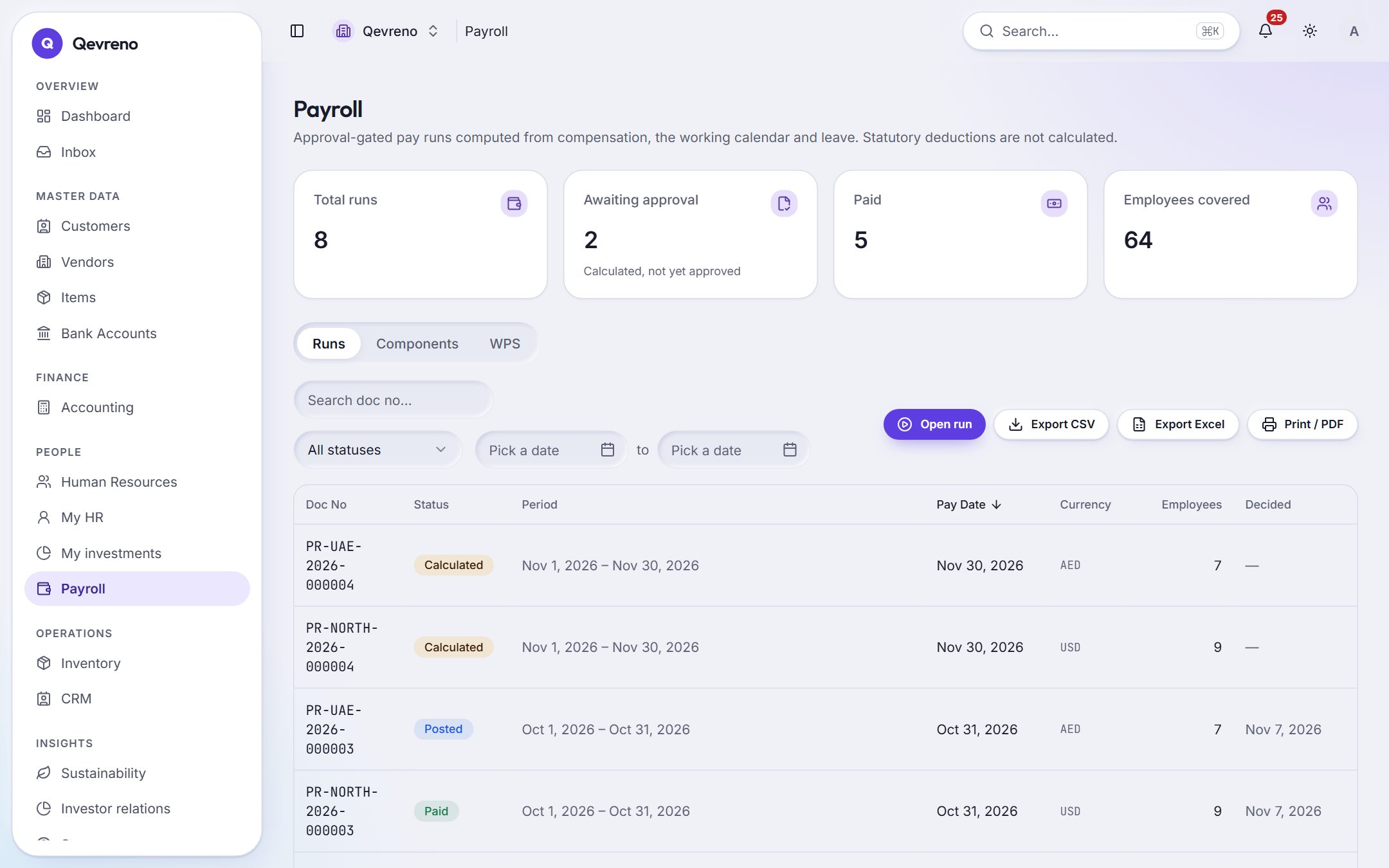
The real screen, with a demo company’s data.
What you can do with payroll & wps
Calculated, then approved
Runs move from calculated to approved to posted to paid. The person who calculated a run cannot approve it.
Payslips for everyone
Each employee gets a payslip, and can see their own in My HR on their phone.
WPS salary file
For the UAE, Qevreno prepares the WPS salary file (SIF) from the approved run, ready for your bank or exchange house.
Posted to the books
Approved payroll posts salary expense and liabilities; paying it settles them; the bank reconciliation matches the salary payment.
Salary data stays private
Salary figures are encrypted at rest and hidden from anyone without the right to see them.
Loans and advances
Salary advances and employee loans are tracked and recovered through payroll.
How it works
In 4 steps
- 1
Set each employee’s compensation and the components you pay.
- 2
Open a run for the month — Qevreno calculates it from the calendar and approved leave.
- 3
Approve it, post it, and download the WPS file or pay as you usually do.
- 4
Employees see their payslips in My HR.
Good to know
Does Qevreno calculate statutory deductions (tax, social security, pension)?
Not automatically today — the payroll screen says so. Pay is calculated from compensation, the calendar and leave. Statutory rules will only be added from official, dated sources and reviewed before use.
Which bank formats does the WPS file follow?
Qevreno prepares the standard UAE WPS salary information file (SIF). Check the first file with your bank or exchange house before you rely on it, as some agents add their own requirements.
Works together with
See payroll & wps with your own numbers
Book a demo and we will walk through your books, your bank and your payroll with you — or create your company and look around on your own.