Money · VAT & GST
Tax figures you can trace back to every invoice
Every line carries its tax code. When a return is due, Qevreno lays out the figures box by box and lets you open each one to the documents behind it.
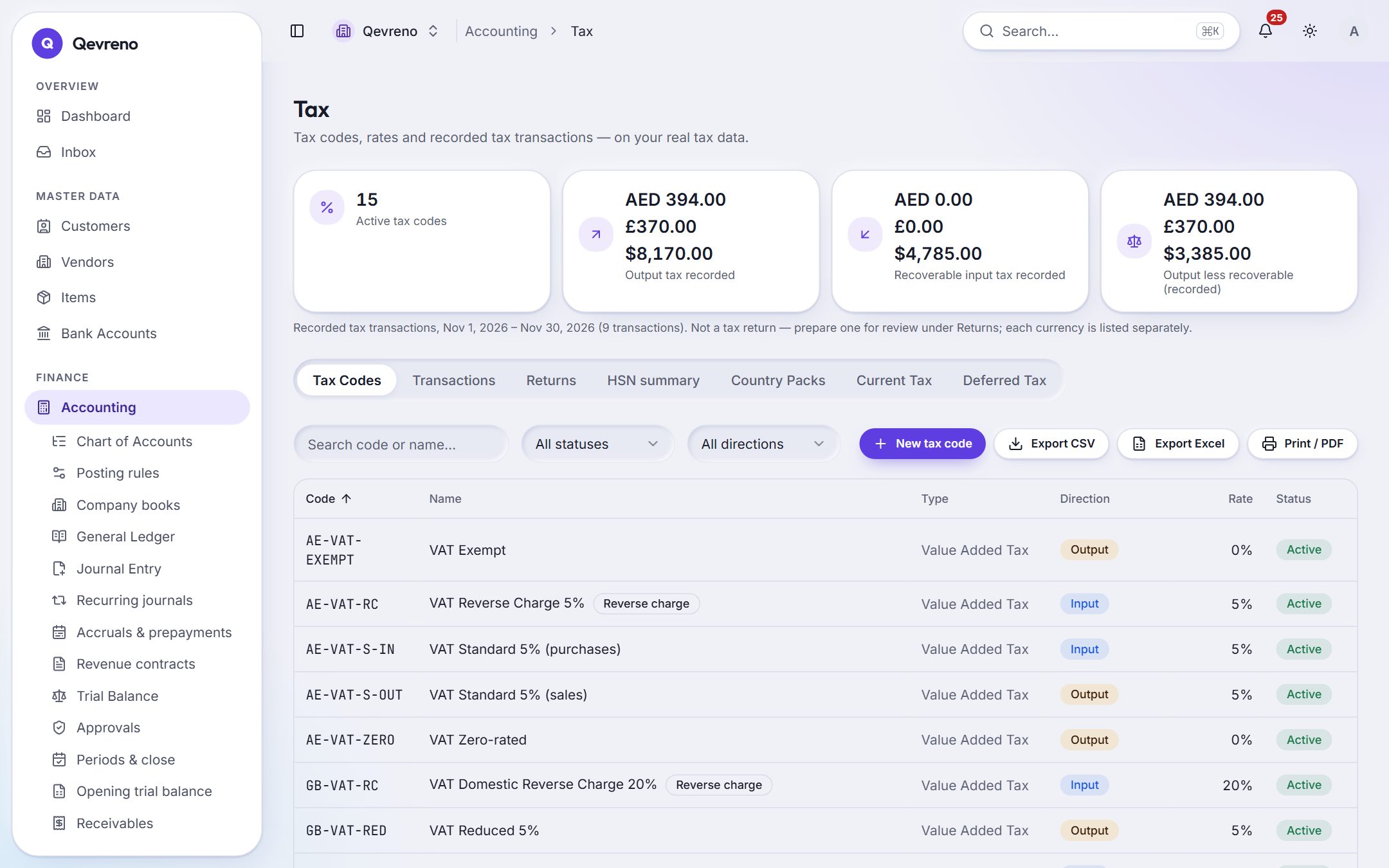
The real screen, with a demo company’s data.
What you can do with vat & gst
Return figures by box
UAE VAT 201, UK VAT 100 and India GST (CGST, SGST, IGST and cess), worked out from your posted invoices and bills.
Effective-dated rates
Tax rates have start and end dates, so a rate change never rewrites last quarter.
Reverse charge and recoverable tax
Reverse-charge purchases and recoverable input tax are tracked on the line where they arise.
Open any figure
Every box drills down to the lines and documents that make it up.
How it works
In 3 steps
- 1
Set up the tax codes for your country (the common ones come ready).
- 2
Use them on invoices and bills as you work.
- 3
At the end of the period, open the return figures, check them and file through your tax authority’s portal.
Good to know
Does Qevreno file my VAT or GST return?
No. Qevreno prepares the figures by box from your books; you (or your accountant) submit the return through the tax authority’s own portal or approved channel.
Are the tax rates built in?
Common codes come ready for each supported country, and rates are effective-dated settings you can review and change — never hard-coded.
Works together with
See vat & gst with your own numbers
Book a demo and we will walk through your books, your bank and your payroll with you — or create your company and look around on your own.